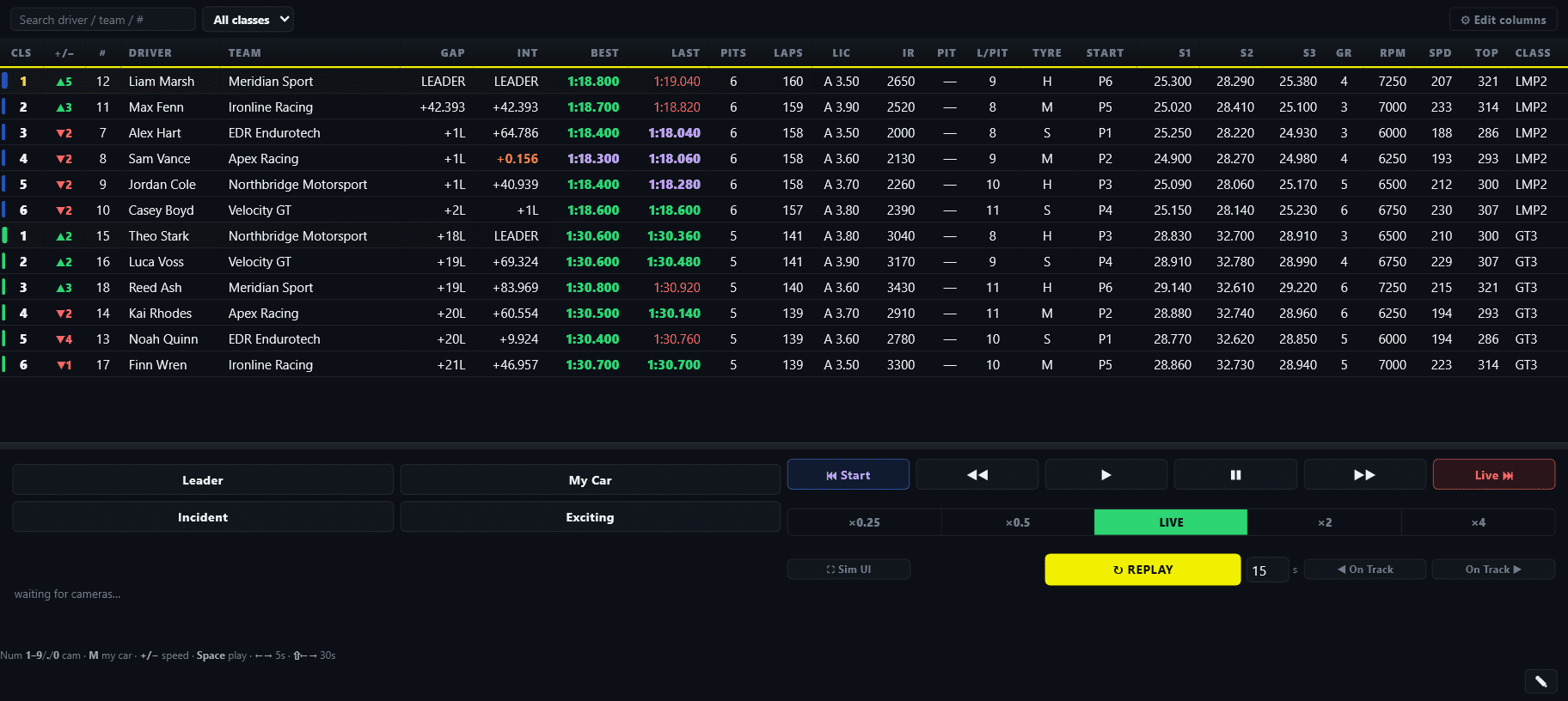
Find likely contact, spins and off-tracks across the iRacing field with EDR Broadcast. Review logged moments and prepare replays for your viewers. Detection uses available race signals, so check the footage before describing what happened.
Incident detection and replay tools are included with Pro. EDR Broadcast is currently in public beta.
EDR Broadcast gives the producer live race context and replay tools from one control room.
How it works
iRacing incident detection, built around the data that is available.
A spectator does not receive a complete live, timestamped incident feed for every car. EDR therefore infers likely incidents from the field data iRacing exposes, then reconciles its timeline against the actual per-driver totals when those totals become available at the end of the race.
1. Observe
Watch the whole field live.
It monitors available per-car signals including track surface, derived speed, lap position and flags to identify possible incident moments across the race.
2. Organise
Turn a signal into a usable log.
Likely incidents are placed in a time-ordered log and typed so the crew can narrow down the entries that matter to the broadcast.
3. Reconcile
Check the final picture.
At race end, the detected timeline is reconciled against the real per-driver totals rather than presenting inferred telemetry as certain fact.
Honest by design. Incident detection is a broadcast aid, not a substitute for steward review. EDR does not claim per-car yaw, contact or kinematic certainty that iRacing does not expose. It highlights a likely moment, gives the crew a replay path and reconciles the result later.
From detection to replay
A quicker path from the incident log to the on-air replay.
The important part is not just that the system notices something. It is whether the producer can turn that lead into useful coverage before the race has moved on.
Jump to incident
Start at the moment.
Choose an incident entry and use it as the starting point for the replay, avoiding a manual search through the race timeline.
Filter the noise
Focus on the story.
Filter the log by driver and incident type so a busy race does not bury the incident that needs commentary or a steward look.
Tune the signal
Match the series.
Use road or oval behaviour and sensitivity settings that suit your event, helping the log stay useful without suggesting every track-limit touch is a broadcast moment.
Built for a crew
Give production and race control the same incident picture.
The incident feed can be used by the operators working remotely as well as the person at the streaming PC. It creates a shared starting point for commentary, replay and stewarding, while the final judgement remains with the humans running the race.
✓Commentators get a lead. Spot potential action while it is still relevant to the live race.
✓Producers get a replay path. Use the log as a practical route to the moment rather than a replacement for watching the replay.
✓Stewards get context. Filterable entries make it faster to identify moments worth reviewing, without claiming to automate an official decision.
Part of EDR Broadcast
Find the action, then keep the show moving.
Incident detection works alongside Auto‑Director, replay controls, broadcast graphics, included themes and league race operations. One system keeps cameras, replays and race information connected to the same live session.
A spectator does not receive a full live incident feed. EDR infers likely incidents from the available per-car data and reconciles its detected timeline against final per-driver totals after the race.
What incidents can it highlight?
The log can highlight likely contact, spins and off-tracks, with event categories such as off-track, spin, contact, wall, stopped, multi-car and mechanical.
Can I jump the replay to an incident?
Yes. Use an incident-log entry as the starting point for the replay, then choose how you want to cover the moment on air.
Is every detected incident certain?
No. The tool infers possible incidents from the data available to it and reconciles at race end. It is designed to help a human crew find a moment faster, not to claim certainty beyond the data.
Which plan includes incident detection?
Incident detection and replay tools are included with Pro. Core overlays remain free, and the 14-day Pro trial needs no card.
Keep up with the race
Put incident detection in your broadcast control room.
Download EDR Broadcast, add your OBS or vMix browser sources and use the incident log as a faster way to find the replay.
{“@context”:”https://schema.org”,”@type”:”FAQPage”,”mainEntity”:[{“@type”:”Question”,”name”:”How does incident detection work for a spectator?”,”acceptedAnswer”:{“@type”:”Answer”,”text”:”A spectator does not receive a full live incident feed. EDR infers likely incidents from the available per-car data and reconciles its detected timeline against final per-driver totals after the race.”}},{“@type”:”Question”,”name”:”What incidents can it highlight?”,”acceptedAnswer”:{“@type”:”Answer”,”text”:”The log can highlight likely contact, spins and off-tracks, with event categories such as off-track, spin, contact, wall, stopped, multi-car and mechanical.”}},{“@type”:”Question”,”name”:”Can I jump the replay to an incident?”,”acceptedAnswer”:{“@type”:”Answer”,”text”:”Yes. Use an incident-log entry as the starting point for the replay, then choose how you want to cover the moment on air.”}},{“@type”:”Question”,”name”:”Is every detected incident certain?”,”acceptedAnswer”:{“@type”:”Answer”,”text”:”No. The tool infers possible incidents from the data available to it and reconciles at race end. It is designed to help a human crew find a moment faster, not to claim certainty beyond the data.”}},{“@type”:”Question”,”name”:”Which plan includes incident detection?”,”acceptedAnswer”:{“@type”:”Answer”,”text”:”Incident detection and replay tools are included with Pro. Core overlays remain free, and the 14-day Pro trial needs no card.”}}]}