iRacing broadcast software comparison 2026
The Honest 2026 iRacing Broadcast Tool Comparison
EDR Broadcast, ATVO, SDK Gaming, iSimBroadcaster, WTM, open-source tools, JRT and RaceLab all use iRacing data differently. This guide starts with the job you need done, then shows which tool actually fits it.
Short answer
Choose EDR Broadcast for an integrated small-crew control room, ATVO for a mature custom graphics and NDI workflow, SDK Gaming for detailed timing, HUD and configurable streamer overlays, and a self-hosted project when open source and local control matter more than turnkey support.
How to read this comparison
Reviewed and updated 22 August 2026 after the release of the EDR Broadcast WYSIWYG Theme Editor using each product’s official website and documentation. We build EDR Broadcast, so this is an informed vendor comparison, not independent laboratory testing. We state where another tool is the better choice, link to official sources and avoid scoring features we could not verify.
Find your tool in 60 seconds
I want the deepest visual theme builder
Start with EDR Broadcast when you want bespoke graphics and the full production desk together. Its new WYSIWYG Theme Editor builds the visual package inside the same workflow as browser-source overlays, Auto-Director, incidents and replays. EDR uses individual browser sources as standard, with NDI output available on request with Enterprise. Choose ATVO when an established ATVO and NDI package is already the requirement.
I am producing the race alone or with one helper
Start with EDR Broadcast. Auto-Director, incident logging, replay transport and browser-source graphics are designed to reduce the number of jobs one operator must perform.
I want timing, an in-car HUD and a streamer overlay
Start with SDK Gaming. Its membership connects Live Timing, Live HUD and Live Streamer, with detailed component styling and remote commentator workflows.
My league needs championships, rosters and season graphics
Compare EDR Broadcast’s league tools with iSimBroadcaster. iSimBroadcaster strongly emphasises stored league rosters, championship points and season statistics.
I want free, open-source and fully local
Look at SimRacing Hub’s self-hosted iRacing Overlays and iCASControl. Expect to install and maintain the Python stack yourself.
I mainly need driver analysis or clean racing overlays
JRT and RaceLab may fit better than a broadcast control room. They concentrate on timing, strategy, HUD and driver-facing information.
The 2026 market at a glance
| Tool | Built around | OBS route | Standout | Watch for |
|---|---|---|---|---|
| EDR Broadcast | Complete race-night production | Browser sources; NDI output available on request with Enterprise | Auto-Director, incidents, replay and remote crew | Public beta with WYSIWYG Theme Editor, 46 overlays and 23 ready-made themes |
| ATVO | Custom broadcast graphics | NDI or window capture | Visual Theme Editor and established workflows | Browser-source capture is not supported |
| SDK Gaming | Timing, HUD and streamer overlays | Web overlay | Detailed timing and customisable components | Full production automation is not its centre |
| iSimBroadcaster | League production and championships | Browser sources | Season stats, league packs and telestrator | Newer product, test your exact discipline |
| WTM Broadcasting | League race control and replay | Browser sources | Stage, caution and event review workflow | Installer is delivered after purchase |
| SimRacing Hub | Free self-hosted overlays and race control | Local browser sources | Open source, local and no subscription | Python installation and self-support |
| JRT | Real-time timing and strategy | Browser on local network | Timing, calculator, track map and replay use | Not a complete league show controller |
| RaceLab | Driver-facing overlays across several sims | App and streaming layouts | Large overlay library and multi-sim support | Different priority from broadcast direction |
EDR Broadcast: best for reducing operator workload
EDR Broadcast is built for the night when the camera operator is also watching race control, lining up a replay, triggering sponsor graphics and helping the commentator identify the next battle. It combines 46 OBS-ready overlays with Auto-Director, manual camera control, incident logging, jump-to-incident, replay tools and remote crew features.
Its clearest advantage is integration. A battle identified by live timing can influence the camera. An incident detected outside the live shot becomes a replay candidate. A remote helper can support the host without taking over the Windows broadcast PC. That closed loop is the product, not only the graphics.
The tradeoff is now different: EDR remains in public beta, but its new WYSIWYG Theme Editor adds visual customisation to the integrated camera, incident, replay and race-control workflow. Use the beta notes, run a dress rehearsal and keep a fallback scene before a major event.
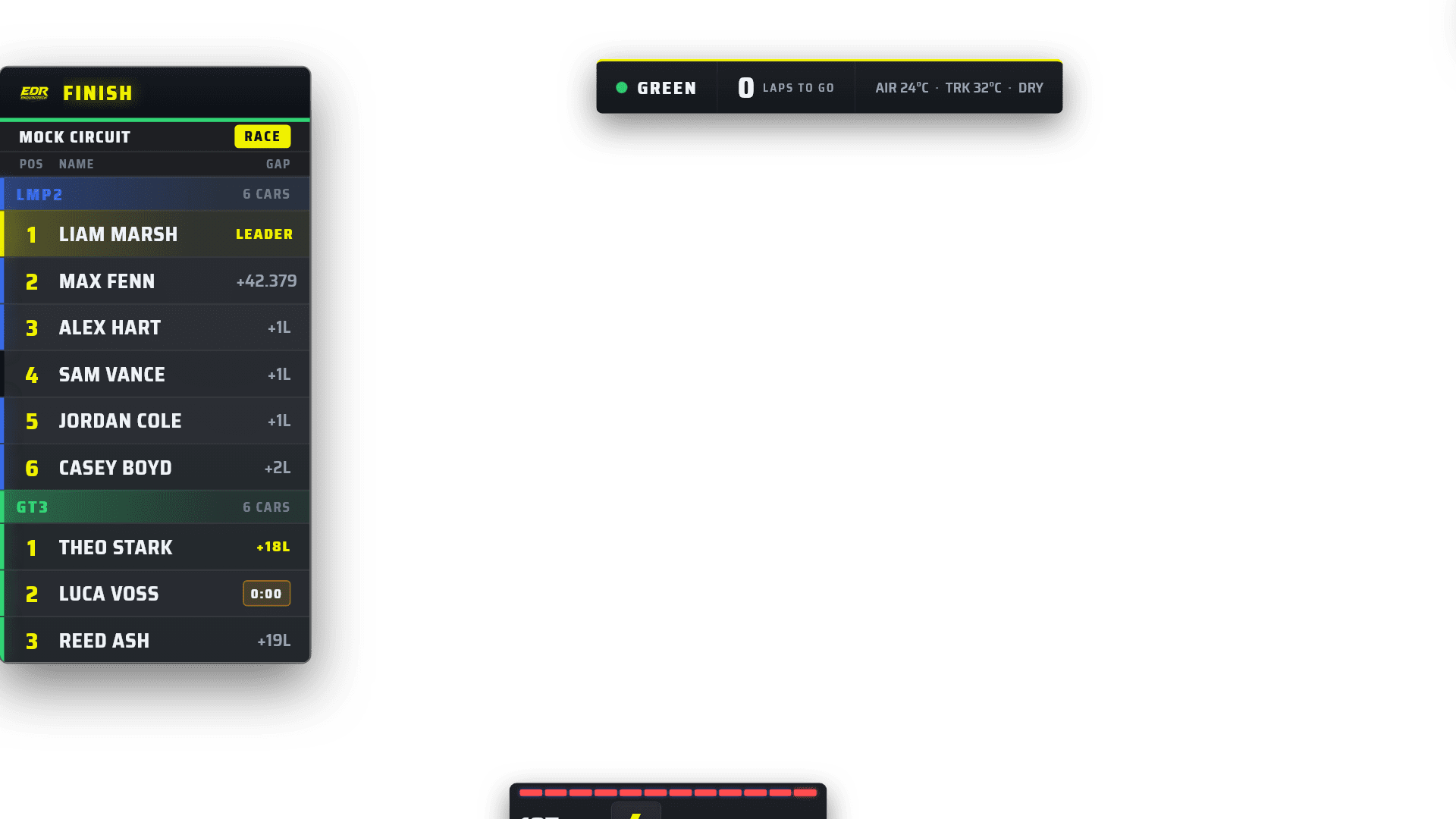
EDR connects the viewer graphics to the operator tools behind the show.
ATVO: best for established custom graphics production
ATVO describes itself as a broadcast overlay system built exclusively for iRacing. Its visual Theme Editor can bind live data to graphic elements, and its production path uses NDI or window capture. ATVO says browser-source capture is not supported.
That makes ATVO a clear fit for a designer-led crew with a mature theme package and NDI routing. It is also familiar to many experienced iRacing broadcasters. The core app is free to download in 2026, while the official site lists optional paid products including the flagship theme without a watermark and cloud live timing.
Read the detailed ATVO and EDR workflow comparison before changing an existing show.
SDK Gaming: best for timing, HUD and flexible streamer graphics
SDK Gaming packages Live Timing, Live HUD and Live Streamer. Its web overlay can be displayed in OBS, and producers can position and style components such as timing towers, logos, chat and battle information.
Its remote commentator documentation is stronger than a simple public timing link. Commentators can join the same room, copy camera and overlay state, and receive allowed controls when the broadcaster grants permission. If synced commentator clients and detailed live timing are your main need, include SDK Gaming in the test.
Read our SDK Gaming versus EDR Broadcast guide for the product-level differences.
The newer control-room tools
iSimBroadcaster
The official iSimBroadcaster page emphasises browser-source overlays, camera and replay control, incident alerts, league rosters, championship scoring, season graphics and a telestrator. It is worth testing when the season database is as important as race-night automation.
WTM Broadcasting
WTM Broadcasting combines race control, timing graphics, browser overlays, replay tools, camera focus, race history and stage results. Its initial release is delivered after purchase rather than through a public unlocked installer.
SimRacing Hub open source
The self-hosted project offers 15 overlays, a broadcast dashboard, incident and overtake detection, instant replay and iCASControl. It is free and local, but you own installation, updates and troubleshooting.
Timing and driver-overlay specialists
JRT is strong on real-time timing, deltas, fuel strategy, track mapping and replay use. RaceLab lists 29 iRacing overlays and supports several simulators. These products can be excellent at their chosen job without being replacements for a league broadcast control room.
The useful question is not whether a driver overlay has a standings table. It is whether the tool handles the editorial and operational work that your broadcast crew needs. A driver can value a fuel calculator while a producer values a replay log. Both are legitimate, but they are not the same purchase.
What native iRacing and OBS already give you
iRacing’s official support says a broadcaster needs a separate iRacing account, the camera view and a third-party application to broadcast. The simulator includes replay and camera controls plus a native Director Mode with leader, crash and “most exciting” choices. iRacing’s camera documentation is worth learning even when another app operates it.
OBS then captures the simulator, mixes audio and sends the stream. A simple league can run with only iRacing, OBS, manual cameras and basic graphics. Add software when it solves a measured problem: missing incidents, unreadable multiclass timing, exhausted operators, inconsistent branding or remote crew coordination.
Pricing snapshot, checked 19 July 2026
| Tool | Entry route | Important note |
|---|---|---|
| EDR Broadcast | Free, Pro A$19.95 monthly, League A$45 monthly | 14-day Pro trial, no card and no automatic conversion |
| ATVO | Core download free | Theme 2023 from €5.95 and cloud timing from €3.99 on official site |
| SDK Gaming | Individual from £8.33 monthly excluding VAT | 14-day trial, team options available |
| iSimBroadcaster | Official page states plans from US$10, subscribe or buy once | 14-day trial |
| SimRacing Hub | Free and open source | Self-install and self-maintain |
| JRT and RaceLab | Trial or free entry routes available | Check official sites for current plan packaging |
Do not compare currencies as if they buy the same workflow. Include any theme, cloud timing, team seats, custom design, dedicated graphics PC or support time that your real production requires. Pricing can change, so verify it before committing a season.
A practical test that exposes the right answer
Use the same hosted or AI session, OBS canvas and car classes for every product.
Build only the essential scene first: game capture, leaderboard, focused-driver graphic, flags and replay label.
Run 30 minutes with traffic, pit stops and enough cars for several battles.
Record missed incidents, camera changes, window changes, replay-search time and any frame or encoder problems.
Ask a second operator to take over with five minutes of explanation. Their confusion is part of the result.
Watch the recording as a viewer. Check whether the graphics explained the race or merely occupied the screen.
Keep the stack that solves the most expensive problem without creating a more fragile race night.
Frequently asked questions
What is the best iRacing broadcast software in 2026?
There is no universal winner. EDR Broadcast is strongest for integrated small-crew production, ATVO for visual theme building and established NDI workflows, and SDK Gaming for timing, HUD and configurable streamer graphics.
Is ATVO still worth using?
Yes. It remains a capable and established iRacing graphics platform. A trained ATVO crew with a stable custom theme should not change without a specific workflow reason.
Is EDR Broadcast an ATVO replacement?
It can replace the broadcast role for crews that prefer browser sources and integrated camera, incident and replay tools. It does not import ATVO themes, but EDR now includes its own WYSIWYG Theme Editor for building a custom browser-source broadcast package.
Is SDK Gaming only an overlay?
No. Its product family includes Live Timing, Live HUD, Live Streamer and remote commentator workflows. Its centre is timing and presentation rather than EDR’s full race-night automation.
Can free software run a serious iRacing broadcast?
Yes, if the crew can install, maintain and support it. Open-source tools can be capable. Paid products mainly compete on setup time, integrated workflow, support and ongoing product development.
Do I need a second broadcast PC?
Not always. Test a one-PC workflow first and monitor simulator, rendering and encoder headroom. Add a second PC when measured load or operational separation justifies the complexity.
Choose the next guide by your problem
Test EDR against the tool you already know
Keep your current scene as a fallback. Build a duplicate EDR scene, run the same session and judge the operator workload for yourself.
Download Free See Plans and Trial