iRacing Broadcast Software, WYSIWYG Theme Editor and Auto-Director for OBS
Turn an iRacing session into a complete broadcast with a WYSIWYG Theme Editor, 46 live overlays, Auto-Director, incident detection and replay control from one Windows app.
Start the Pro trial inside the app. No credit card is needed, and the trial does not automatically convert into a paid subscription.
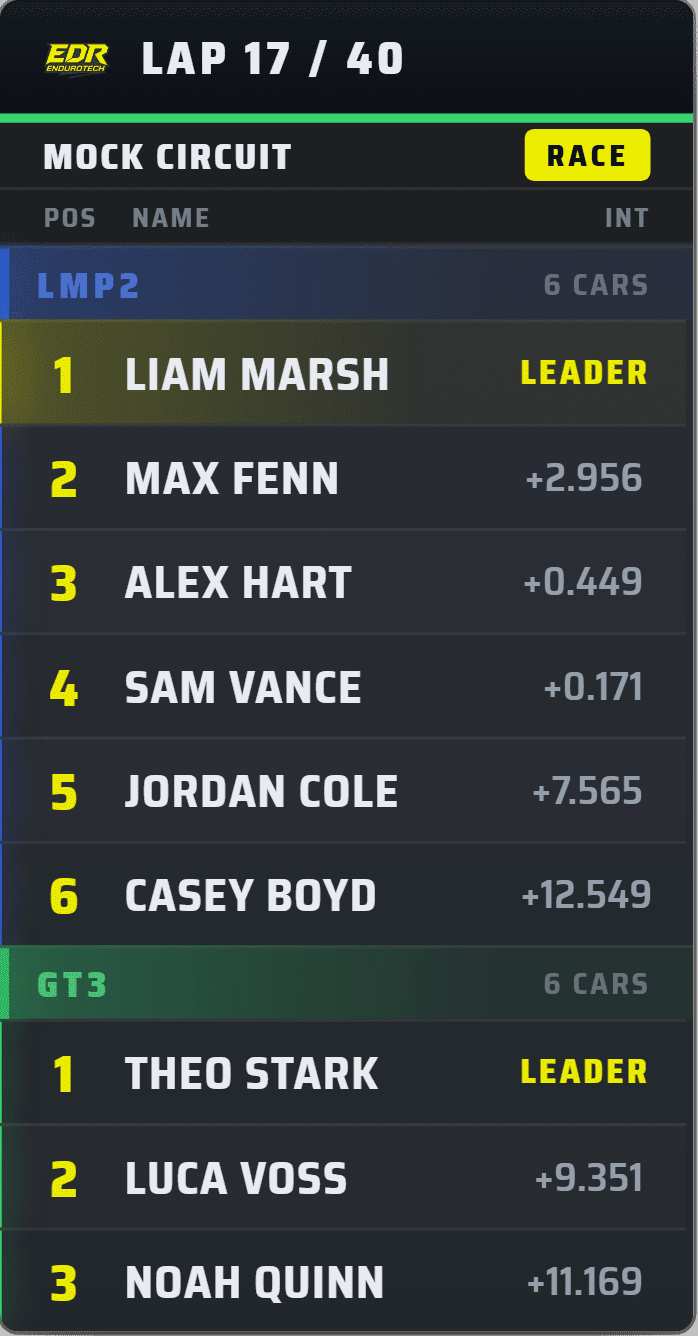
One control centre for your iRacing broadcast.
EDR Broadcast connects to the live iRacing session, turns race data into browser-source graphics for OBS or vMix, and gives the producer tools to follow incidents, control replays and direct the show. It is designed for solo creators, endurance teams, leagues and full broadcast crews.
Transparent browser-source overlays
Build the look visually in the WYSIWYG Theme Editor, then add live timing, driver cards, flags, grids, results, telemetry and track graphics to OBS, vMix or compatible broadcast software.
Race control and replay tools
Find incidents, jump to moments that matter, control overlays and manage the flow of the broadcast from one operator screen.
Auto-Director when you need it
Let Pro follow battles and key race moments automatically, then take manual control at any time.
From download to live broadcast in four steps.
Install the Windows app
Download EDR Broadcast and sign in, or continue with the Free plan.
Launch iRacing
EDR Broadcast reads the live session and builds the timing and race-state data automatically.
Add the overlay URLs
Choose a ready-made theme or build your own in the WYSIWYG Theme Editor, then place the supplied browser sources into OBS or your compatible production software.
Run the show
Operate manually, use Auto-Director, or combine both approaches during the race.
Professional race coverage without a full camera crew.
Available on Pro and above, Auto-Director continuously evaluates the field and chooses useful camera targets. It is built to find racing, not simply cycle through cars.
Battle detection
Recognises close multi-car fights and holds the shot long enough for viewers to understand the action.
Anti-repetition
Spreads coverage around the field instead of repeatedly returning to the same cars.
Race-state awareness
Adjusts its behaviour for cautions, pace laps, restarts and important closing-lap situations.
Manual override
Lock onto a preferred car or take full control whenever the production calls for it.
A complete graphics package for race day.
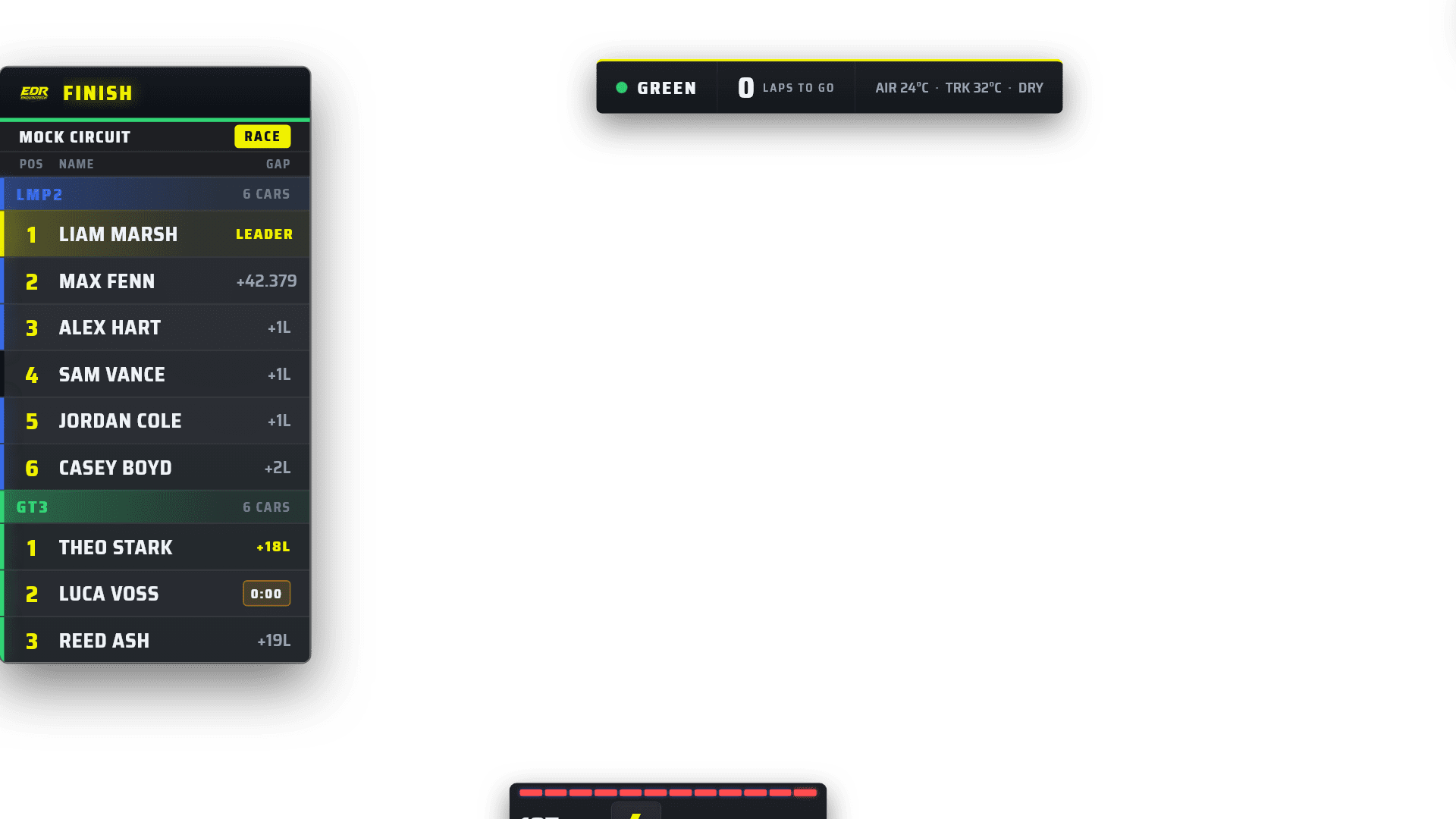
Build your own visual identity in the WYSIWYG Theme Editor or start with one of 23 ready-made themes, then carry it through 46 overlays including timing towers, driver cards, standings tickers, battle and relative boards, telemetry, track maps, flags, grids, podiums and results.
Use EDR Broadcast your way.
Solo streamer
Run overlays and automated coverage without needing another person to direct cameras.
Endurance team
Add professional timing and team-focused graphics to long-form race coverage.
League broadcaster
Coordinate remote operators, public live timing and repeatable branded race production.
Broadcast partner
Use custom themes, overlays and enterprise support for larger productions and events.
Start free. Trial Pro for 14 days. Upgrade only when it suits you.
The Free plan remains available after your trial. No credit card is required to start the Pro trial, and there is no automatic paid conversion.
For getting started and running the core broadcast graphics.
- Leaderboard, driver card and ticker
- Flags, grid intro and podium
- Two free themes
- 14-day Pro trial available inside the app
- No credit card required
- No automatic paid conversion
The full hands-off broadcast package for a single operator.
- Auto-Director and manual camera control
- Replay tools and incident detection
- Incident log and jump-to-incident
- All 46 overlays and 23 themes, including Road Course
For leagues with remote crew and live timing requirements.
- Everything in Pro
- WYSIWYG Theme Editor authoring
- Remote browser control
- API access and Data Link
- League schedules and remote stewards
- Up to five activated machines
- Public live timing
For broadcasters, major series and custom productions. NDI output is available on request with Enterprise.
- Custom themes and overlays
- Expanded production requirements
- API and integration options
- Priority support
EDR Broadcast questions
How does the 14-day Pro trial work?
Download EDR Broadcast and start the Pro trial from inside the app. You do not need to enter a credit card. The trial does not automatically become a paid subscription, and you can continue using the Free plan after it ends.
What do I get on Free?
Free includes core OBS broadcast overlays such as the leaderboard, driver card, ticker, flags, grid intro and podium results, along with two free themes.
Can EDR Broadcast run the show by itself?
Yes, with Pro. Auto-Director watches the field and selects useful camera targets while the overlays update from live iRacing data. You can take manual control whenever required.
Do I need a second PC?
No. EDR Broadcast can run alongside iRacing and OBS on one Windows PC. Larger productions can use League features to support remote and multi-operator workflows.
Does it work with software other than OBS?
The overlays are delivered as browser sources, so they can also work with production software that supports compatible web or browser inputs, including vMix.
Can I use my own branding?
Yes. EDR Broadcast includes 23 ready-made themes and a WYSIWYG Theme Editor for visually building your own league identity across 46 coordinated overlays.
Is EDR Broadcast only for road racing?
It is designed around live iRacing session data and supports multiclass and endurance workflows. Feature behaviour may vary by discipline while the product remains in Public Beta.
Everything you need to install, learn and run EDR Broadcast.
Start with the Broadcast Academy for the complete learning path, or jump directly to setup, pricing, support and product resources.
EDR Broadcast Academy
Learn OBS, overlays, cameras, incidents, replay, live timing, remote crews, commentary and endurance production.
Auto-Director
See how EDR follows battles, incidents and decisive race action while keeping manual control available.
Incident detection
Find likely contact, spins and off-tracks, then move quickly into the replay workflow.
League scoring and production
Connect championship scoring, Google Sheets, remote operators, race control and broadcast graphics.
Cloud live timing
Give viewers and remote crew a shared browser timing surface for the active race.
Getting started
Install the app, connect iRacing and build your first OBS or vMix scene.
Download and install
Get the official Windows public beta and review installation requirements.
Plans and pricing
Compare Free, Pro, League and Enterprise features in AUD.
Support and troubleshooting
Fix app launch, overlay display, iRacing detection and remote-production issues.
Beta and known issues
See what works now, what may change and what to test before going live.
Custom overlays and themes
Explore league branding, sponsor graphics and custom event packages.
Billing help
Manage subscriptions, payment methods, invoices, cancellations and refunds.
Enterprise and contact sales
Plan larger events, request NDI output, build custom workflows, expand crews and access priority support.
Broadcast tool comparison
Compare EDR Broadcast with ATVO, SDK Gaming, JRT and DIY OBS workflows.
Public live timing
Open the public timing entry page for supported iRacing sessions.
Start free and unlock Pro for 14 days.
No credit card. No automatic subscription. Just install EDR Broadcast, connect to iRacing and see what it can do.