iRacing replay workflow
How to Find and Replay Incidents in an iRacing Broadcast
Find likely iRacing incidents, review timestamped candidates and choose a replay window without losing track of the live race.
Quick summary
To catch incidents on an iRacing broadcast you need a workflow: monitor the whole field, log detected incident candidates with timestamps, jump the replay to the moment, show it when it costs the live picture the least, then return to live. iRacing incident detection software such as EDR Broadcast automates the watching and logging, and jumps the replay for you.
Incidents are the moments viewers talk about. A league broadcast that misses the race-deciding contact loses credibility fast, and stewards lose their best evidence too. The problem is not effort. It is that one person cannot watch 40 cars at once.
Why broadcasters miss incidents in iRacing
On a real world broadcast, a director has dozens of cameras and a truck full of people watching them. On an iRacing broadcast the producer usually has one screen showing one car, plus a relative or timing page. Everything happening outside that view is invisible.
The manual workflow, and what it costs
The traditional fix is people. A spotter in Discord calls incidents, someone writes down the session time, and the producer scrubs the replay backwards hunting for the moment. It works, and plenty of leagues run this way, but it needs a volunteer every round, the timestamps are approximate, and scrubbing a replay while the live race continues is exactly when the next incident gets missed.
If you are still building the rest of your show, start with the iRacing OBS broadcast setup guide first, then come back to the incident side.
What incident detection changes
Incident detection helps monitor the field while the producer directs the show. Detection can miss events or flag moments that do not need a replay, so review candidates before using them. In EDR Broadcast it runs during the session and builds a running log of everything it sees:
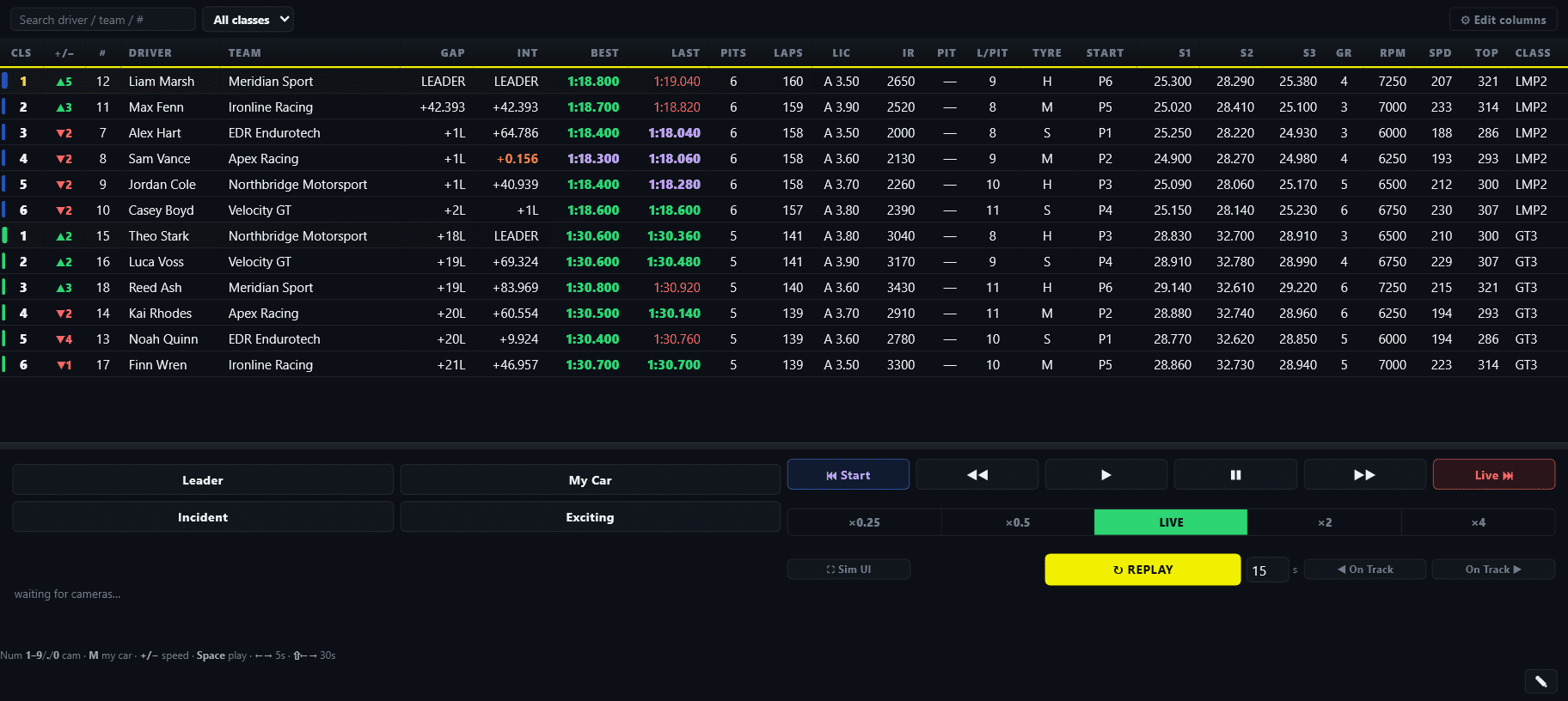
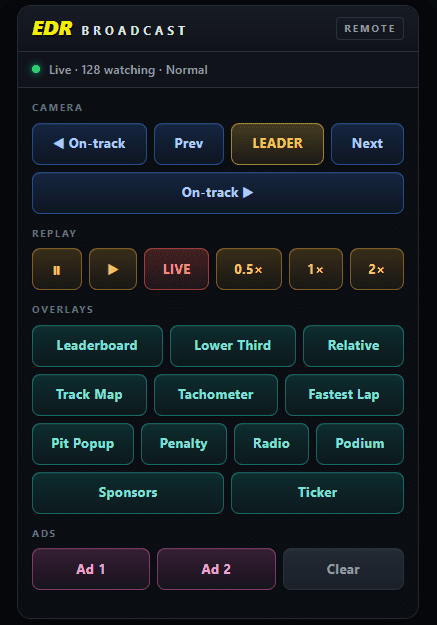
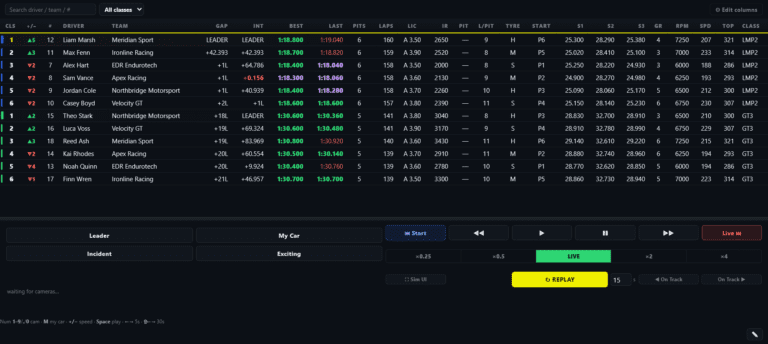
Timing, incident log and replay transport in one place, so the jump back to the moment is one click.
What a useful incident log looks like
Whether software builds it or a spotter does, a log entry needs enough detail to act on: when, what, where, who and the outcome. That last column matters for commentary and for the stewards afterwards.
| Time | Type | Location | Cars | Outcome |
|---|---|---|---|---|
| 1:42:18 | Contact | Turn 6 | #44 into #23 | Both continue, replay shown at 1:44 |
| 1:47:02 | Spin | Turn 11 | #7 | Rejoined P12, mentioned on commentary |
| 1:53:40 | Off-track | Turn 1 | #88 | Logged for stewards, no replay needed |
Reviewed 5 September 2026
iRacing has native replay navigation and director modes. EDR’s value is the structured incident log and production workflow around those controls, not a claim that iRacing has no incident features at all.
Should you show this replay now?
A pass for the lead is developing
Stay live. Mark the incident and return to it once the battle resolves.
The field is settled or under caution
This is normally the safest replay window. Tell viewers what they are about to see, show the useful angle and label the return to live.
The incident may affect a stewarding decision
Show only what the pictures establish. Do not announce blame before race control has reviewed it.
When to show the replay
Catching the incident is half the job. Showing it at the right time is the other half. Never cut to a replay while a pass for the lead is building. Use the quiet moments: a settled field, a pit cycle, a caution period. Set the replay up on commentary, show it once or twice from the best angle, then make the return to live obvious so viewers are never confused about what is happening now.
If an auto-director is running the cameras, this gets easier: you still need to manage the handover between live coverage and replay. On a single iRacing capture, moving the session into replay changes the captured picture; use a standby scene or a separately tested replay workflow while preparing the segment.
Replay rule
Show the incident when it costs the live picture the least. A replay 40 seconds late and well timed beats an instant replay that hides a pass for the lead.
Tune the sensitivity for your series
Every series has a different definition of an incident. A GT3 field brushing kerbs all lap should not fill the log with noise, while an oval league might want every wall touch flagged. That is why detection sensitivity is adjustable in EDR Broadcast: set it once for the series, and the log stays useful instead of overwhelming. Detected candidates are timestamped for later review, which pairs nicely with the Endurotech Stewards Report clip process.
EDR Broadcast resources
See incident detection on the EDR Broadcast page, check how it compares with other tools in the iRacing broadcast tool comparison, or grab the app from the download page. Incident detection and the replay transport are Pro features, included in the 14-day trial.
Related Endurotech Racing reading
Frequently Asked Questions
Does iRacing tell broadcasters when cars crash?
iRacing includes native incident navigation and automatic director modes, but those controls are not a complete whole-field production log. A broadcaster still benefits from timestamped incident candidates, involved cars and a repeatable replay workflow.
What incidents can be detected automatically?
EDR Broadcast flags likely contact, spins and off-tracks from available session data and logs detected candidates with cars and session times. Review the replay to confirm what happened; detection is not a guarantee that every event will be found.
Can I jump the replay straight to an incident?
Yes. Every entry in the incident log is clickable, and the replay jumps to that moment so you are not scrubbing backwards while the race continues.
Can a remote spotter or steward watch the incident feed?
Yes. On the League and Enterprise plans, crew members can watch a filterable incident feed from a browser on any device, without sitting at the broadcast PC.
Will it flag every kerb strike and small wobble?
Adjust detection sensitivity for your series, then review a test session for missed events and false positives. No sensitivity setting guarantees that every minor touch will be classified correctly.
Is incident detection free in EDR Broadcast?
Incident detection and the replay transport are Pro features. They are included in the 14-day Pro trial, so you can run them on a real race night before paying.
Stop finding out three laps late
Run incident detection, the clickable log and the replay transport on your next race night. Every Pro feature is free for 14 days.
Start the Pro Trial View EDR Broadcast