iRacing SDK broadcast overlays
How iRacing SDK Data Becomes a Live Broadcast Overlay
Understand how iRacing session data becomes timing, driver graphics, flags and track maps, and why broadcast overlays need processing and context.
Plain-English answer
The iRacing SDK is a local live-data connection exposed by the simulator. An app such as EDR Broadcast reads timing, position, driver, car, flag and telemetry values, works out what they mean for the race, and displays them through transparent browser-source overlays in OBS or vMix.
You do not need to write code or install a developer kit to use EDR Broadcast. The app handles the data connection. Understanding the path is still useful because it explains why overlays need an active iRacing session, why some information updates instantly and why an overlay can show more than the native spectator UI.
First, SDK does not mean SDK Gaming
The names are easy to mix up. The iRacing SDK is the simulator’s live-data interface. SDK Gaming is one commercial product that uses iRacing data for timing, HUD and streamer overlays. ATVO, EDR Broadcast and many community projects also use iRacing data. If you are comparing products, see our SDK Gaming alternative guide.
Technical review
Reviewed 19 July 2026. This guide explains the production model in plain English. It deliberately separates raw iRacing data from the calculations and editorial decisions made by broadcast software.
Open the term you keep hearing
iRacing SDK
The simulator’s local live-data interface. It exposes current session and telemetry information to compatible software on the Windows PC.
iRacing data API
An account-based web service used for published results, league, series and historical information. It is not a substitute for the live session feed.
Browser-source overlay
A transparent web page loaded inside OBS or vMix. Broadcast software updates the page while the production software composites it over the simulator video.
Derived broadcast logic
Information calculated from the feed, such as battle scores, movers, incident candidates and camera priorities. These are application features, not ready-made SDK fields.
The live broadcast data path
iRacing runs the session
The simulator knows every car, lap, sector, flag, camera target and live telemetry value.
Broadcast software reads the local feed
The app connects on the same Windows PC and listens for current session data. It does not need to guess positions from the video.
Raw values are turned into race information
The software sorts classes, calculates gaps, identifies battles, watches changes and decides which values are useful to viewers.
The overlay is rendered
EDR Broadcast turns that processed state into individual transparent web graphics such as a leaderboard, driver card, flag banner or track map.
OBS composites the show
Each supplied URL is added as a browser source above the iRacing game capture. OBS combines the video, graphics, commentary and sponsor assets.
Optional remote services share selected data
Supported plans can send a current timing view or authorised controls to remote crew. The host still remains the source of the live iRacing session.
What iRacing data can appear on a broadcast
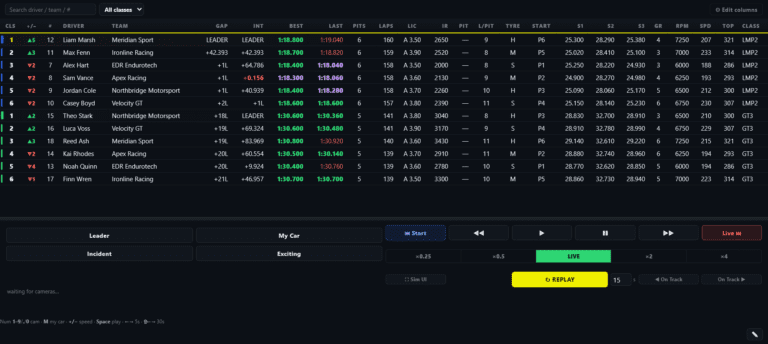
| Live information | What the app does with it | Viewer graphic |
|---|---|---|
| Position, lap and class | Sorts the field and calculates useful gaps | Leaderboard, relative and class standings |
| Driver, team and car details | Matches the focused car to its identity and class | Driver card, lower third and grid introduction |
| Speed, gear and driver inputs | Cleans and formats fast-changing telemetry | Telemetry panel and tacho |
| Track position | Places each car on the circuit and groups by class | Track map and battle context |
| Flags and session state | Interprets green, yellow, white, chequered and restart conditions | Flag banner, race status and caution graphics |
| Changes over time | Scores battles, movers and possible incident patterns | Battle box, movers board, incident log and Auto-Director decisions |
Important distinction
The SDK supplies data. It does not supply a finished broadcast story. Battle detection, incident candidates, class logic, graphic design and camera decisions are software features built on top of the feed.
Why browser-source overlays work so well in OBS
A browser source is a transparent web page inside OBS. The page can redraw text, timing rows, colours and animations without touching the underlying iRacing video. That keeps every graphic modular: hide the leaderboard, show a driver card, trigger a yellow flag banner or switch themes without rebuilding the game capture.
For the practical setup, use our complete OBS browser-source overlay guide. It covers canvas size, layering, transparency, refresh behaviour and troubleshooting.
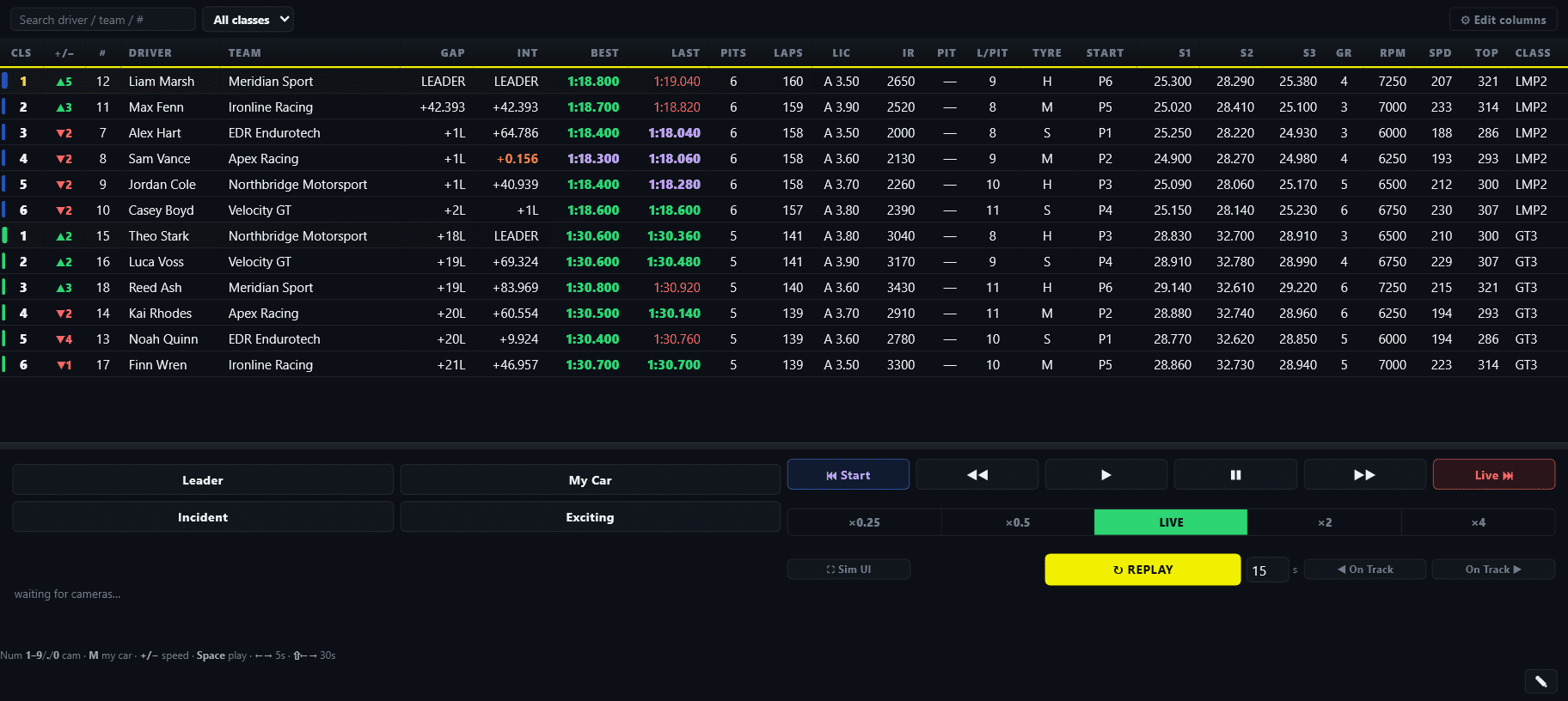
The operator sees structured timing and production controls. Viewers see the selected information as clean broadcast graphics.
Live SDK data vs the iRacing data API
These are different tools for different timing. The live SDK feed comes from the running simulator and is suited to current position, telemetry, flags and camera control. The iRacing data API is used for account-based information such as published results, series, leagues and historical records. A broadcast app may use both, but the data API does not replace the live feed during a race.
This distinction also explains why a replay or spectator client must be in the session for live overlays to populate. A web page cannot produce current race data on its own if no host is connected to iRacing.
What good broadcast software adds beyond the SDK
Multiclass logic
A useful tower needs class colours, class positions, leader handling and sensible gaps, not just a raw overall-position number.
Stable presentation
Fast values must be smoothed and state changes handled so the graphic remains readable instead of flickering or jumping.
Story selection
Battle scoring and anti-repetition help the camera cover a race, not simply follow the overall leader for an hour.
Replay workflow
Logging the moment, choosing a camera, showing the replay and returning live are production actions, not raw telemetry fields.
Operator control
The producer needs predictable buttons, overrides and feedback when race night becomes chaotic.
Remote safety
A remote crew system needs authorised roles, scoped controls and a host that remains in charge of the local session.
Why an overlay is blank or showing old data
Frequently asked questions
Do I need programming knowledge to use iRacing SDK overlays?
No. A broadcast application reads and processes the data for you. You add its supplied overlay URLs or outputs to OBS.
Is the iRacing SDK the same thing as SDK Gaming?
No. The SDK is the live-data interface. SDK Gaming is one third-party product built for timing, HUD and stream overlays.
Does the SDK send video from iRacing?
No. OBS captures the simulator video separately. The SDK provides data that software turns into graphics and control decisions.
Can an overlay work when iRacing is closed?
A design preview or mock mode can, but a genuinely live leaderboard needs a host connected to an active session.
Does live iRacing data require the cloud?
The session feed originates locally on the host PC. Account, updates, licensing, remote control and public timing features may still use online services.
Can SDK data automatically find crashes?
Software can interpret changes and telemetry patterns to flag likely incidents. That detection logic is built by the application and needs tuning, because the raw feed is not a finished stewarding decision.
Build the rest of the broadcast
Start with how to broadcast iRacing with OBS, compare the main products in our iRacing broadcast tool guide, then see how incident detection and replay workflow use the same live session to catch moments outside the camera.
Turn the data into a complete show
EDR Broadcast connects the live iRacing session to OBS graphics, camera direction, incidents and replay tools from one Windows app.
Download EDR Broadcast First Broadcast Setup