SDK Gaming alternative for iRacing
Is EDR Broadcast a Good SDK Gaming Alternative?
Compare SDK Gaming and EDR Broadcast for timing, driver HUDs and broadcast production. Assess graphics, camera controls and crew requirements.
Quick answer
EDR Broadcast is a strong SDK Gaming alternative for league broadcasters who need more than timing overlays. It adds Auto-Director, incident detection, replay tools, race-control workflow and remote operators. EDR uses individual browser sources as standard, with NDI output available on request with Enterprise. SDK Gaming remains a strong choice for drivers who prioritise detailed live timing and an in-car HUD. For viewer-facing custom graphics plus full production control, EDR Broadcast is worth testing against your league’s production requirements.
The word “SDK” causes some confusion here. SDK Gaming is a commercial iRacing overlay, live timing and HUD product. The iRacing SDK is the underlying live-data interface that many third-party tools use. This article compares the products, not the programming interfaces.
Comparison standard
Reviewed and updated 22 August 2026 after the release of the EDR Broadcast WYSIWYG Theme Editor. We build EDR Broadcast and are not a neutral reviewer. SDK Gaming features and prices were checked against its official website and knowledge base. We recommend SDK Gaming when detailed driver HUD and timing tools are the better answer.
What do you actually need?
A detailed HUD while I drive
SDK Gaming is the more direct fit. Its Live HUD is built for the driver, not only for viewers.
Custom live timing and streamer graphics
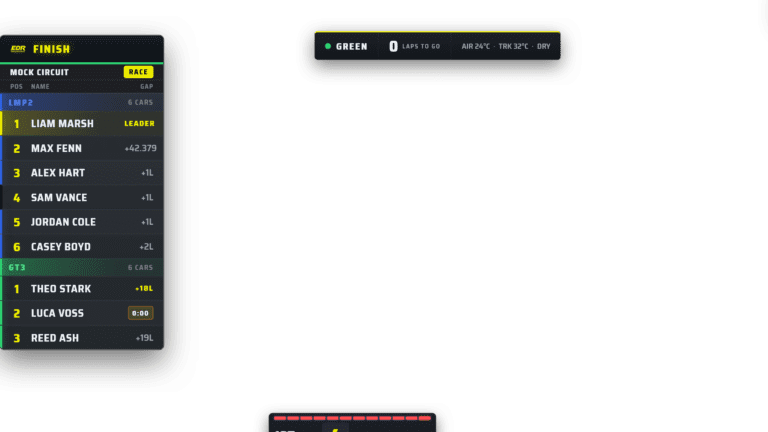
Start with EDR Broadcast when the goal is custom viewer-facing graphics and complete production control. Its WYSIWYG Theme Editor sits inside the same connected workflow as cameras, incidents and replay. Test SDK Gaming when driver HUD and detailed timing are the main requirements.
A tool that also directs cameras and finds incidents
EDR Broadcast is the stronger starting point because camera direction, incident logging and replay control are core parts of the product.
SDK Gaming vs EDR Broadcast at a glance
| Area | SDK Gaming | EDR Broadcast |
|---|---|---|
| Product centre | Live Timing, Live HUD and Live Streamer | Broadcast graphics plus camera, replay, incident and race-night control |
| OBS overlays | Web overlay with detailed component positioning and styling | WYSIWYG Theme Editor with 46 transparent browser-source overlays and 23 ready-made themes; Enterprise NDI output available on request |
| Driver HUD | A major feature, including track map and timing while driving | Broadcast operator and viewer graphics, not positioned as an in-car driving HUD |
| Camera direction | Not the centre of the Live Streamer product | Auto-Director plus manual camera selection and override |
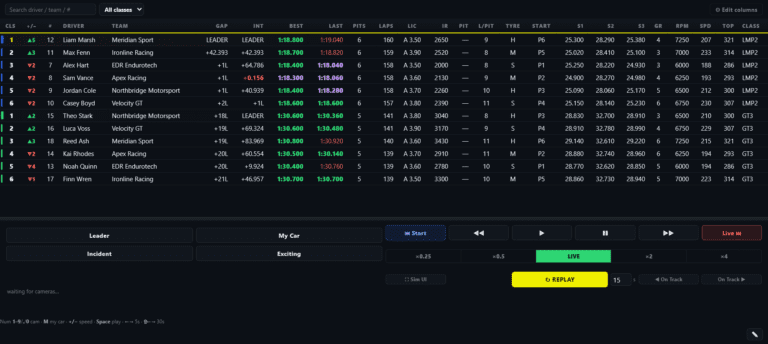
| Incidents and replay | Usually handled through a separate production workflow | Incident detection, filterable log, jump-to-incident and replay transport |
| Remote use | Remote overlay URLs and live timing room workflows | Remote browser operators, public timing and crew roles on supported plans |
| Best fit | Drivers, analysts and producers wanting detailed timing and custom graphics | Leagues, solo producers and endurance broadcasts wanting one control room |
What SDK Gaming does well
Detailed live timing
SDK Gaming is built around accurate live standings and race information. A second-screen timing surface can be valuable to drivers, engineers and commentators as well as the broadcast.
A proper in-car HUD
Its Live HUD puts track maps, timing and competitor information over the driver’s own iRacing view. EDR Broadcast is not trying to replace that driving-focused use case.
Flexible streamer graphics
The Live Streamer web overlay lets producers show, hide, position and style components, including timing towers, logos, Twitch chat and battle information.
One membership across its core apps
The individual membership includes Live Timing, Live HUD and Live Streamer, with team options available for multiple iRacing accounts.
Why broadcasters look for an SDK Gaming alternative
SDK Gaming can make the picture informative, but a league broadcast still has to decide what the picture should be. Somebody must choose the car, watch the rest of the field, recognise an incident, prepare the replay and return to live without confusing viewers. That production layer is the reason to compare it with EDR Broadcast.
The camera still needs a director
A timing tower can identify a close gap, but it does not automatically turn that gap into a well-paced camera sequence.
Crashes happen outside the live shot
The producer needs a whole-field incident feed and a reliable way to return to the moment instead of searching backwards by hand.
Overlay buttons are only part of the desk
Race control, replay, camera targets, commentator information and remote crew coordination all compete for operator attention.
League crews change week to week
A repeatable control surface can be easier to hand to a volunteer than a collection of separate apps and custom actions.
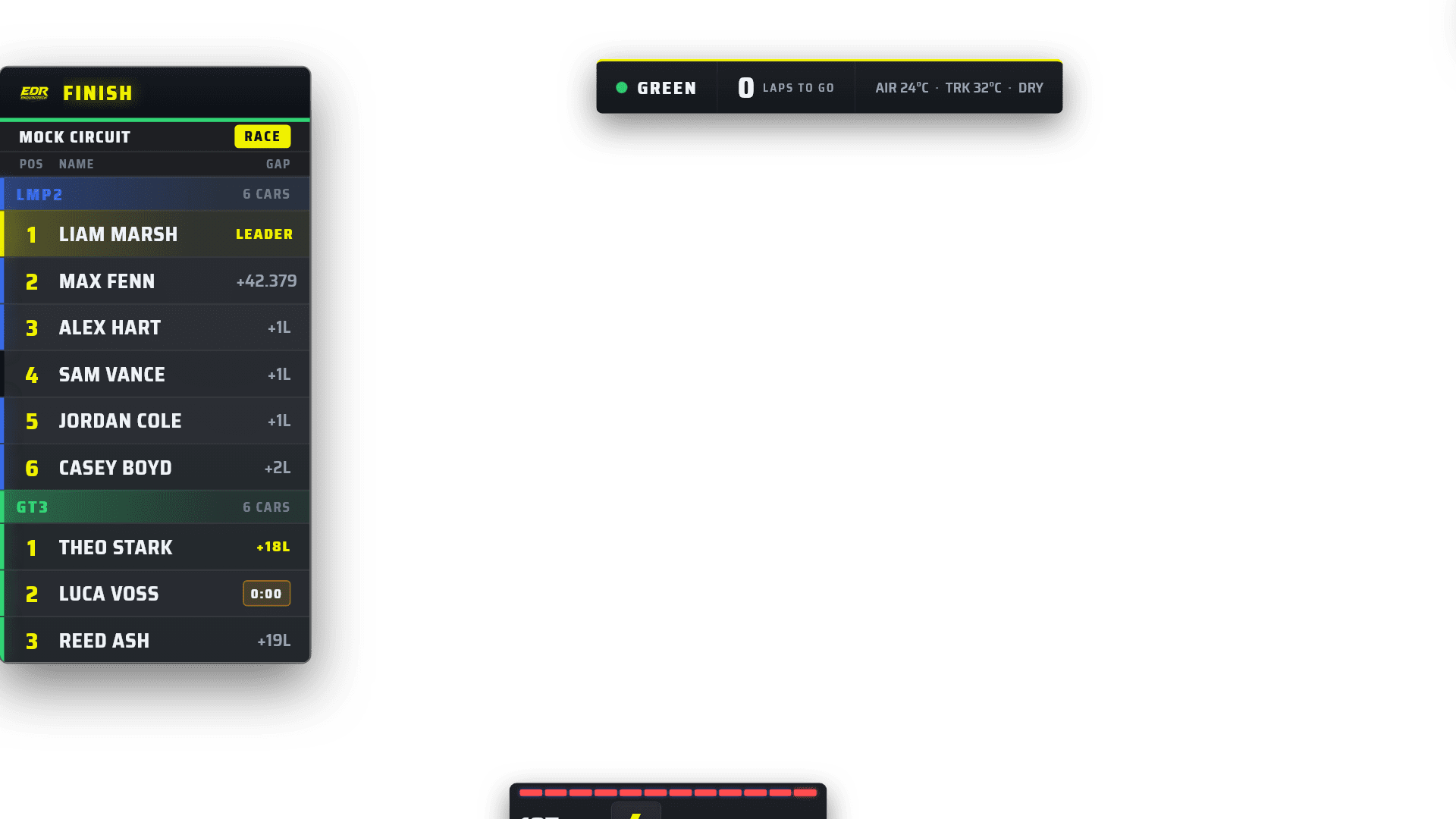
The graphics are one layer of the EDR workflow. Camera direction, incidents, replay and race control sit behind them.
When EDR Broadcast is the better fit
EDR Broadcast makes sense when one operator needs custom graphics and is expected to do the work of several people. Its iRacing Auto-Director searches for useful battles, varies coverage and changes behaviour around cautions and closing laps. The operator can take control at any time.
Its incident workflow records likely contact, spins and off-tracks across the field, then lets the producer jump the replay to the logged moment. Pair that with remote browser control and public live timing, and a small league crew can split the work without moving the whole broadcast stack to a second machine.
When SDK Gaming is the better fit
Choose SDK Gaming if detailed timing, driver HUD information or deep placement and styling of individual overlay components is the priority. It is also the more direct fit when the same subscription needs to support a driver’s on-screen tools and the broadcast graphics. If cameras and replays are already covered by a trained production crew, EDR’s automation may solve a problem you do not have.
Pricing and trials checked in July 2026
SDK Gaming lists its Individual Membership from £8.33 per month excluding VAT, with a 14-day trial, and includes Live Timing, Live HUD and Live Streamer. EDR Broadcast offers a permanent Free tier, Pro at A$19.95 per month and League at A$45 per month. EDR’s 14-day Pro trial needs no card and does not automatically turn into a subscription. Prices and packages can change, so check SDK Gaming and the current EDR pricing page.
How to decide in one practice session
Write down the job you are actually trying to improve: driver HUD, live timing, overlay design or complete broadcast control.
Build the same basic OBS scene with iRacing capture, timing tower, flag graphic, driver card and sponsor space.
Run a 30-minute AI or hosted race with enough cars to create traffic, pit stops and incidents.
Count manual camera changes, missed incidents, replay-search time and how often the operator changes windows.
Choose the tool that reduces the real workload without giving up the information your viewers and commentators need.
Frequently asked questions
Is SDK Gaming the same as the iRacing SDK?
No. SDK Gaming is a commercial set of iRacing apps. The iRacing SDK is the live-data interface used by third-party software. We explain the data side in our guide to how iRacing broadcast overlays work.
What is the best SDK Gaming alternative for broadcasting?
EDR Broadcast is a strong alternative when you need camera automation, incident and replay workflow, race-control tools and remote production as well as overlays.
Can EDR Broadcast replace an iRacing driving HUD?
That is not its main purpose. EDR is designed for broadcast operators, leagues and viewer-facing graphics. SDK Gaming remains a better fit for drivers who want a detailed in-car HUD.
Do both products work with OBS browser sources?
SDK Gaming’s Live Streamer uses a web-based overlay in OBS. EDR Broadcast also supplies transparent browser-source URLs for its individual broadcast overlays. NDI output is available on request with Enterprise.
Does EDR Broadcast include live timing?
Yes. It includes live broadcast timing graphics, and League supports a public live-timing page for viewers and crew.
Can I try both before choosing?
Yes. SDK Gaming advertises a 14-day trial. EDR includes a 14-day Pro trial with no credit card and no automatic conversion. Test each on the same practice session.
Continue the comparison
See the full iRacing broadcast software comparison, read the dedicated ATVO alternative guide, or learn how iRacing SDK data becomes a live broadcast overlay.
Test the full production loop
Add EDR Broadcast to a duplicate OBS scene and test the overlays, Auto-Director, incidents and replay tools on a real session for 14 days.
Download EDR Broadcast Compare PlansPlan availability: Theme Editor authoring is included with League and Enterprise. Pro includes the production tools and ready-made themes. Check current plan details before choosing a workflow.