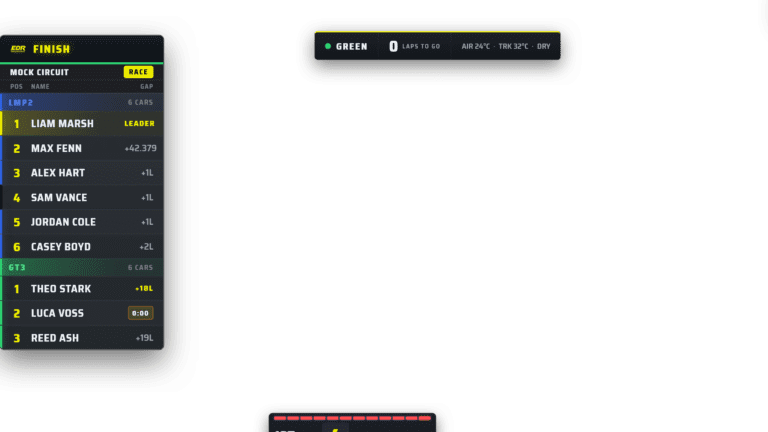
iRacing live timing 2026
iRacing Live Timing for League Broadcasts
Choose useful iRacing timing information for viewers, commentators, producers and stewards, including multiclass gaps and pit-cycle context.
Quick answer
iRacing live timing turns the running session into a current, readable race table. A league system should show overall and class position, useful gaps, pit state, laps, flags and focused-car context, then provide the right level of detail to viewers, commentators, producers and race control.
Reviewed 19 July 2026
This guide covers live timing as a broadcast and league workflow. Current product references were checked against official pages for EDR Broadcast, ATVO and SDK Gaming.
Choose your timing view by role
I am watching the stream
You need a simple read-only page: position, class, gap, laps, pit status and flag state. It should load on a phone without asking you to understand the operator controls.
I am commentating
You need more depth: gaps ahead and behind, last and best laps, pit cycles, movers, incidents and the ability to follow a selected car without losing the full field.
I am producing cameras and graphics
You need timing connected to action: battle priority, current camera target, replay candidates and fast access to driver details.
I am stewarding
You need timestamped incidents, involved cars, session location, race-control messages and a view that cannot accidentally trigger on-air graphics.
I am spotting for a team
You care about nearby cars, relative pace, class traffic and pit-cycle position. A full broadcast table may contain too much unrelated information.
Live timing is not the same as a leaderboard overlay
A leaderboard overlay is curated for the programme picture. It may show ten cars, one class or a short battle. Live timing is a deeper data surface that people can explore without forcing the broadcast to cover it.
This separation is useful. Viewers can follow a favourite car while the director shows the leaders. Commentators can check the pit cycle without filling the television picture with columns. Stewards can review an incident entry without the audience seeing an unfinished decision.
The information every league timing page should get right
Overall and class position
In multiclass racing, both matter. Class position should never be hidden behind an overall-only table.
Gap meaning
State whether the number is to the leader, class leader or car ahead. Change the label when the calculation changes.
Pit state
Show when a car enters, stops and exits. A temporary on-track lead during a pit cycle should not be presented as settled strategy.
Lap and session state
Current lap, time remaining, caution, restart and chequered state provide the frame around every timing number.
Driver and team identity
Car number alone is not enough for remote viewers. Match the current driver, team, car and class consistently.
Last and best lap
Useful for commentators and spotters, but should not crowd the simple viewer page unless there is space.
Focused-car context
A selected car needs the gap ahead, gap behind and class battle around it, not only its row in a long table.
Data freshness
Users should be able to tell whether the timing is live, delayed, paused or disconnected.
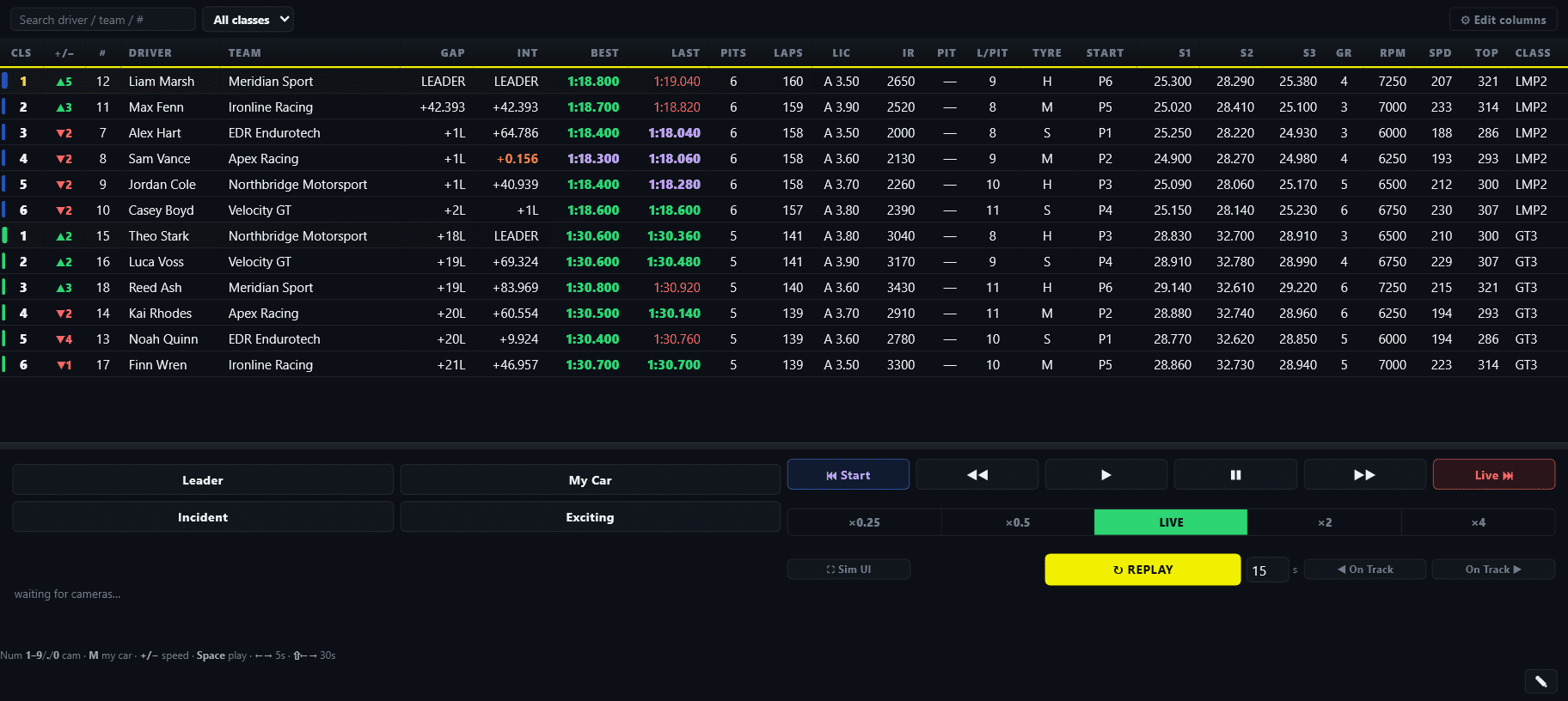
Operator timing can be dense because it supports decisions. The public page should be simpler and read-only.
Why gaps become difficult in real races
A gap is not a universal truth. It depends on the reference car, track position, class and pit cycle. The number a driver needs can be different from the number a commentator needs.
| Situation | Bad interpretation | Useful explanation |
|---|---|---|
| Different pit strategies | P1 has taken the lead on pace | P1 has not stopped; compare after the cycle |
| Multiclass traffic | Gap changed only because pace changed | Traffic cost or gained time; class gap still needs context |
| Caution or wave-around | Normal green-flag interval | Field order and eligibility matter more than the displayed seconds |
| Car on another lap | A large seconds gap is precise | Show laps down or class relationship clearly |
Local timing, cloud timing and public timing
Local timing stays on the broadcast PC or local network. It can be fast and private, but remote viewers cannot access it without a sharing layer.
Cloud or public timing publishes selected race state to a web page. That makes phones and remote crews easy to support, but the system needs clear room access, current connection state and a privacy policy for what is shared.
EDR Broadcast League includes public live timing and remote browser control. ATVO lists cloud-hosted live standings as a separate product. SDK Gaming uses room-based Live Timing and supports synced remote commentators. These are different models, so test the role and access flow rather than comparing the words “live timing” alone.
The main iRacing live timing choices in 2026
| Approach | Strength | Best fit |
|---|---|---|
| EDR Broadcast League | Public viewer timing linked to remote production and the host control room | Leagues wanting timing and operator workflow together |
| ATVO Live Timing | Cloud-hosted viewer standings configured through ATVO | ATVO productions adding public timing |
| SDK Gaming Live Timing | Detailed timing plus connected HUD, Streamer and remote commentator rooms | Timing-heavy crews and synced commentators |
| JRT | Timing, deltas, strategy, track map and local-network browser access | Drivers, analysts and commentary timing desks |
| Self-hosted timing | Local control, custom code and no vendor subscription | Technical communities willing to run infrastructure |
Public timing should be safe by default
A five-minute timing test
Open the timing page on a phone using mobile data, not the host Wi-Fi.
Find the overall leader, each class leader and one chosen car within ten seconds.
Watch a pit stop and confirm the page makes the state and resulting position understandable.
Disconnect the host briefly and check whether the viewer can tell the data is stale.
End the room and confirm the public page no longer pretends the race is live.
Frequently asked questions
Does iRacing include public live timing for my league?
iRacing exposes live session data to compatible software, but leagues normally use a third-party product or self-hosted system to create a public viewer page.
Is live timing the same as an OBS overlay?
No. An OBS overlay is curated for the programme picture. A live timing page is usually a deeper, independently viewable race table.
What should commentators see?
At minimum: overall and class order, gaps ahead and behind, last and best laps, pit state, current driver, flags, movers and incident context.
Does EDR Broadcast include public timing on Free or Pro?
Public live timing is a League feature. Free and Pro include on-air timing graphics, while League adds the shareable viewer timing workflow.
How often should timing update?
Fast enough that positions, gaps and flags feel current without overloading the host or browser. Stability and honest stale-state handling matter more than chasing the highest possible update number.
Can timing replace a commentator’s spotter?
No. It improves awareness, but traffic, strategy and incident interpretation still need human judgement.
Build the connected workflow
See how iRacing live data powers overlays, plan the endurance production, or compare the current live timing and broadcast tools.
Give viewers the timing page and operators the controls
EDR Broadcast League connects public timing, remote crew and the host production without turning the viewer page into a control panel.
Open Live Timing Compare League