iRacing endurance broadcast setup
iRacing Endurance Broadcast Setup for 6, 12 and 24 Hour Races
Plan a 6, 12 or 24-hour iRacing broadcast with operator handovers, commentary shifts, reliable scenes, incident review and fallback procedures.
Quick summary
An iRacing endurance broadcast setup needs reliable OBS scenes, readable overlays, camera direction support, replay workflow, commentator handover planning, race-control messaging, remote production options and enough PC headroom to run for hours. EDR Broadcast is designed to help teams run long broadcasts with less manual admin, including supported-plan workflows where trusted team members can help with camera direction remotely.
A sprint race broadcast can get away with a basic setup. Endurance racing cannot. Over 6, 12 or 24 hours, the broadcast has to stay readable even when the field spreads out, drivers swap, incidents happen overnight and the production crew gets tired.
Reviewed 19 July 2026
This guide is built around long-form iRacing production rather than driving strategy. Test the exact app version, class mix, remote roles and event rules before a major race.
Start with your event length
Six hours
One producer can succeed with a clear break plan, Auto-Director support and a second person able to cover short absences. Rehearse the whole show once.
Twelve hours
Plan formal commentary and camera handovers, meal breaks and two complete operator states. Fatigue becomes an operational risk.
Twenty-four hours
Use shifts, written handovers, remote backups and a recovery plan for every critical source. Nobody should be the only person who knows the scene.
Why endurance broadcasts are harder
Endurance events have more moving parts than short league races. Multi-class traffic, pit strategy, driver swaps, damage repair, safety cars, full-course yellows, split strategies and fatigue all create race stories. The problem is that those stories can be hard to spot manually, especially once the field spreads out after the first hour.
The first 20 minutes of a 24 hour race usually has plenty of obvious action. Cars are close, the grid is compact and the producer has lots to choose from. Six hours later, the race may be decided by a class battle two laps down, a fuel number, a driver swap mistake, a slow repair or a car quietly catching the leader by half a second per lap. That kind of story needs better tools than a simple camera hotkey.
The core endurance broadcast setup
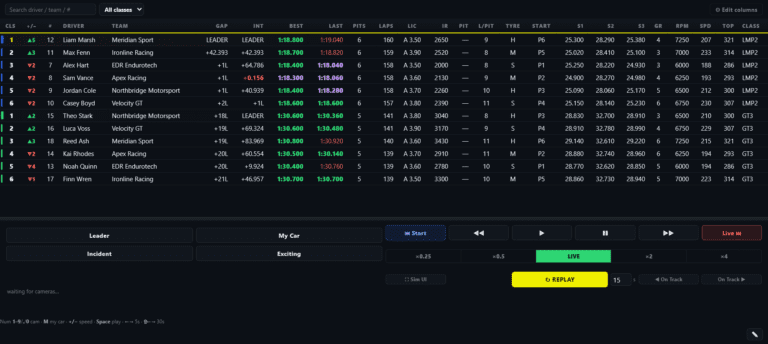
The core setup should be boring in the best way: stable, repeatable and easy to hand over. Use OBS for the stream output, browser-source overlays for race graphics, and a production tool to help with camera direction, replay and race-control messages.
| Part | Why it matters |
|---|---|
| OBS scenes | Live race, replay, break, sponsor and results scenes need to work without fuss. |
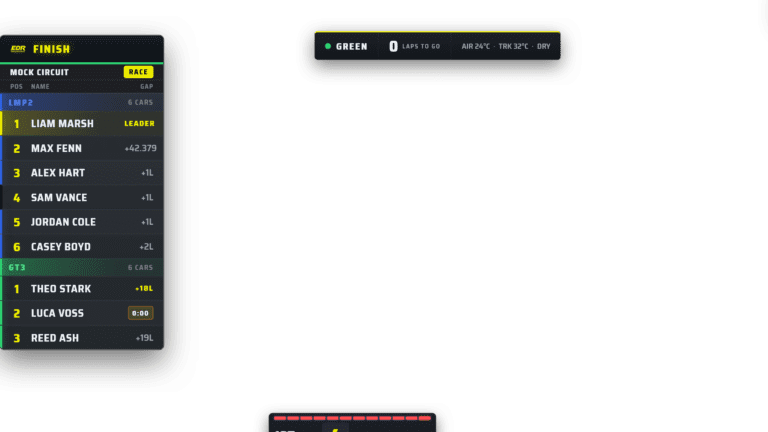
| Overlays | Class colours, gaps, flags, driver info and pit context help viewers follow the long race. |
| Auto-Director | Helps find battles and race stories when the field spreads out. |
| Remote control | Lets trusted team members help with camera direction or production duties on supported plans. |
| Replay workflow | Shows incidents and key moments without losing the live race. |
| Crew plan | Commentary and production handovers stop the show falling apart late in the race. |
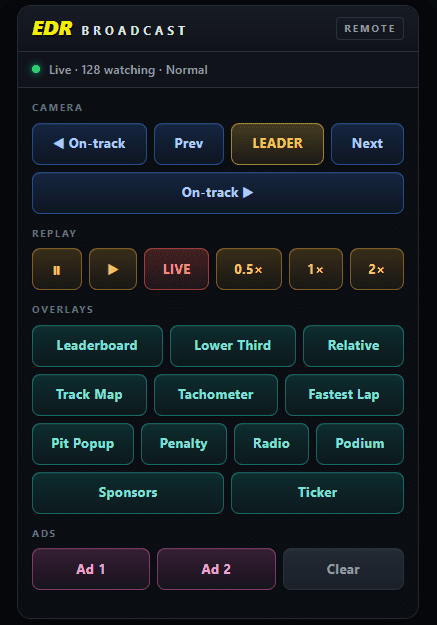
Remote control is useful when it creates a safe shift handover, not merely another way to click the host.
Remote control is the big difference for 24 hour races
The biggest problem with a 24 hour broadcast is not always the overlays or OBS. It is the human workload. One person should not have to sit awake for an entire 24 hour race just to keep the cameras moving. That is where remote control becomes important.
With the right workflow, the broadcast host PC stays connected to iRacing, OBS and the local overlay system. Trusted team members can then help from another machine, depending on the supported EDR Broadcast plan and controller access. That means a remote director can help choose camera targets, follow battles, watch class leaders or take over camera direction while the main producer takes a break.
24 hour production rule
A 24 hour broadcast should be run in shifts. The host PC can stay live, but the people controlling cameras, watching battles and managing the show should be able to rotate.
How remote camera control should work
The safest model is not to move the whole broadcast to someone else’s computer. The host machine should remain the centre of the show because it is connected to iRacing, OBS, overlays and the stream. Remote team members should control the broadcast through a limited production surface, not through a messy screen-share setup.
Example 24 hour camera-control roster
A 24 hour broadcast becomes much easier when the workload is split into proper roles. Not every team will have a full broadcast crew, but even two or three people sharing camera direction is better than one exhausted producer trying to do everything alone.
| Role | What they do |
|---|---|
| Host producer | Keeps OBS, stream output, scenes and main production workflow stable. |
| Remote camera director | Helps choose cars, battles, class leaders and camera focus during their shift. |
| Commentator | Calls the race and explains what the camera is showing. |
| Race monitor | Watches timing, incidents, pit cycles and Discord messages for things the director should show. |
| Relief operator | Takes over camera control or production duties while another team member sleeps. |
6 hour vs 12 hour vs 24 hour broadcasts
The longer the event, the more structure you need. A six hour race can often be run with one producer and one commentator if the tools are stable. A 12 hour race needs better handovers. A 24 hour race needs a proper plan for fatigue, remote control, overnight coverage and keeping the stream alive when the field spreads out.
Protect CPU and GPU headroom
Endurotech Racing’s own frustration came partly from the production load. Long race broadcasts can chew through resources if you stack too many heavy apps, browser sources and capture tools on one machine. Always test the full workflow before race day, not just the game.
Keep scenes clean, avoid unnecessary sources and make sure your overlay system is built for the job. If the broadcast PC is close to the limit before the green flag, it will not feel better after hours of racing.
This is also why remote control is better than trying to run the whole broadcast through screen share. A browser-based or controlled remote production surface can let team members help direct the race without moving the actual iRacing capture, OBS output or overlay rendering away from the host PC.
What to show during quiet endurance periods
Every 24 hour race has quiet periods. That does not mean the broadcast should feel dead. During long green-flag runs, the director should rotate through class leaders, close battles, cars on different strategies, pit stops, damaged cars recovering through the field and team stories that give viewers a reason to keep watching.
Where EDR Broadcast fits
EDR Broadcast was built by endurance racers who needed a cleaner way to manage cameras, overlays, race control and replay workflow. It is designed to help the operator keep the race readable without doing every task manually.
For endurance events, the real value is not just putting graphics on screen. It is reducing the load on the producer. Auto-Director support helps find race stories. OBS browser-source overlays keep the show readable. Replay workflow helps explain incidents. Remote-control options on supported plans make it possible for trusted team members to help direct the camera and share production duties over long races.
For related setup guides, read how to broadcast iRacing with OBS, the best iRacing broadcast software guide and the iRacing Auto-Director guide.
Endurance broadcast checklist
Build the long-race crew
Use the multiclass production guide, assign the remote crew roles, and give commentators the right timing desk before writing the shift roster.
Frequently Asked Questions
What makes endurance broadcasts harder?
They run longer, often include multiple classes, need pit-cycle context and require a workflow that can survive fatigue.
Do 24 hour broadcasts need remote camera control?
Remote camera control is extremely useful for 24 hour races because trusted team members can help direct the broadcast in shifts instead of one producer staying awake for the full event.
Do 24 hour broadcasts need Auto-Director?
Auto-Director is useful because it helps find battles, incidents and race stories when the field spreads out.
Can team members help control the broadcast remotely?
On supported EDR Broadcast plans, trusted team members can help with remote production workflows such as camera direction and race monitoring, while the host PC keeps OBS and iRacing running locally.
What should I test before an endurance broadcast?
Test OBS scenes, overlays, audio, replay workflow, remote controller access, CPU/GPU load, commentary handovers and race-control messaging.
Build a broadcast workflow that lasts
EDR Broadcast helps endurance producers run overlays, camera direction, replay workflow, remote production support and race-control messaging from a cleaner production surface.
View EDR BroadcastDownload free for WindowsStart free and activate the 14-day Pro trial inside the app. No card required. Compare plans for remote crew and custom theme features.