iRacing broadcast software in English
EDR Broadcast is available in English
Set up overlays, control cameras and replays, review incidents and produce iRacing races through an English-language interface.
Quick answer
EDR Broadcast is an iRacing production application for OBS Studio and vMix. It includes 46 overlays, Auto-Director, incident detection, replay control, live timing and remote crew tools. The interface is available in English, German, Spanish, French and Portuguese.
Reviewed 28 July 2026
This page covers the current EDR Broadcast public beta. Available features vary by plan. Test the complete scene before using it for a live race or major event.
One English interface for the full production workflow
A live race does not leave much time to decode unfamiliar controls. The producer needs to identify the active camera, find an incident, prepare a replay and choose the right graphic while the race keeps moving.
The main menus, settings and controls in EDR Broadcast are available in English. This gives solo broadcasters, commentators and remote operators a shared production language from setup through to the chequered flag.
Clearer setup
Find the core controls and build scenes without translating menus or production settings.
Fewer live mistakes
Check cameras, incidents, replays and connection state using familiar terminology.
Easier crew onboarding
Give league operators and new production helpers a workflow they can learn quickly.
What you can do with EDR Broadcast
EDR Broadcast connects iRacing session data to the tools used during a live production. It is more than an overlay pack. The application helps manage the programme from the timing tower to the next camera change.
46 overlays
Leaderboards, lower thirds, grids, results, podiums, flags, telemetry, track maps and more.
Auto-Director
Find developing battles, reduce repeated coverage and adapt camera priorities as the race changes.
Incidents and replays
Log possible incidents, jump to the relevant moment and prepare replays without searching the full session.
Live timing and multiclass
Display positions, gaps, laps, classes and driver information directly from the iRacing session.
OBS Studio and vMix
Add graphics as transparent browser sources above the iRacing game capture.
Remote production
Let additional operators help through a browser using the tools included with the League plan.
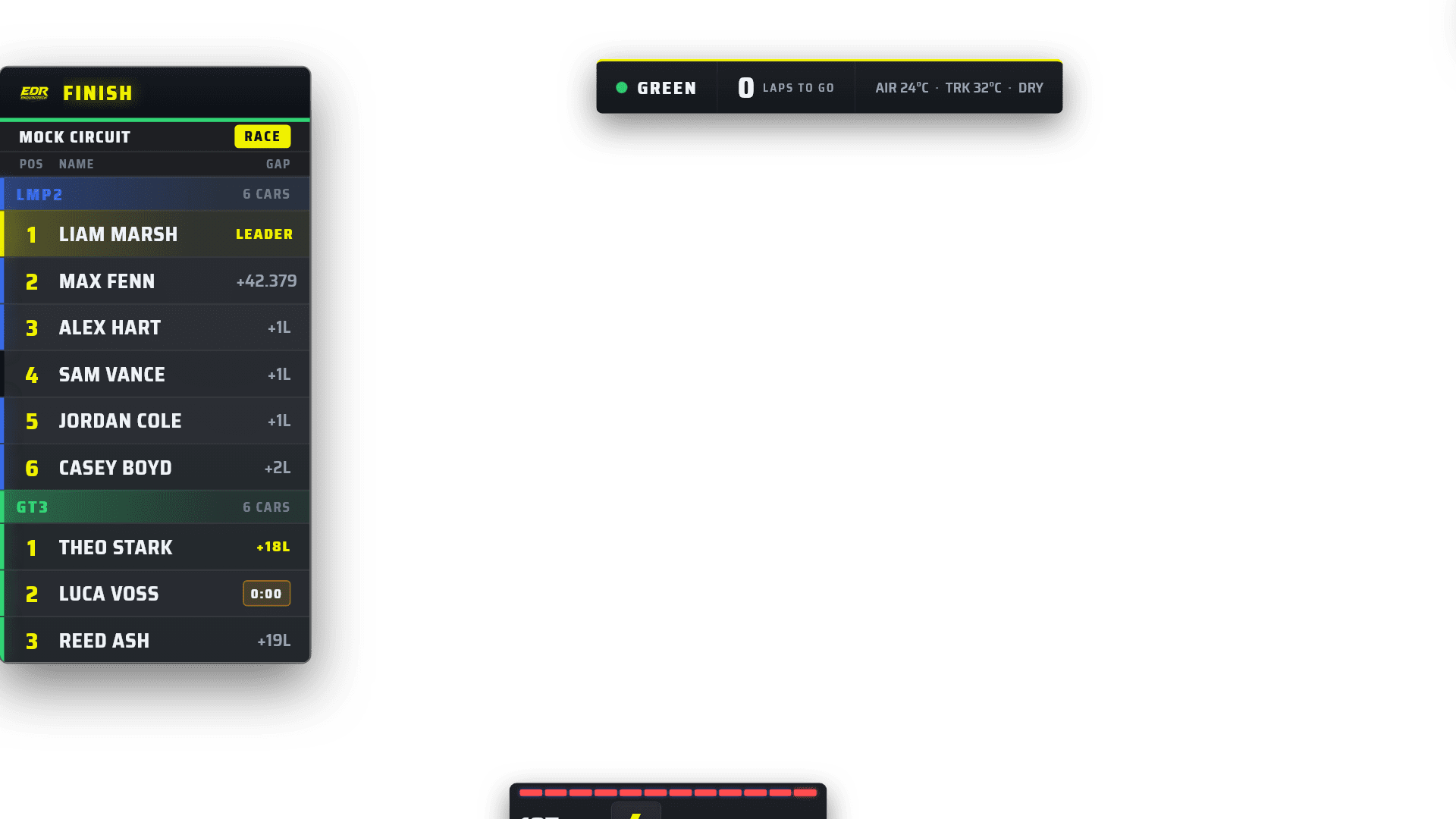
EDR Broadcast brings race data, graphics and production controls into one connected workflow.
How to start using EDR Broadcast in English
You can prepare a first scene in a few steps. Test it in a practice session before using it for an important broadcast.
Download EDR Broadcast for Windows and install the current version.
Open the application and select English in the language settings.
Start iRacing and join a session so EDR Broadcast can receive live race data.
Add the overlays to OBS or vMix, then check source size, transparency and layer order. The getting started guide covers the complete process.
iRacing overlays for OBS Studio and vMix
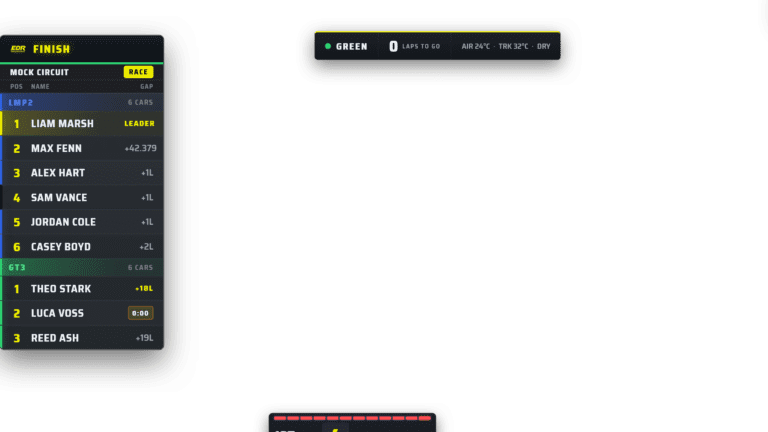
The overlays load as browser sources above the iRacing capture. EDR Broadcast updates positions, gaps, classes, laps, driver names and race state automatically from the active session.
Keeping the game capture and graphics separate makes scenes easier to manage. You can hide, move or replace an overlay without rebuilding the full layout. Read our guide to broadcasting an iRacing race with OBS for a practical production workflow.
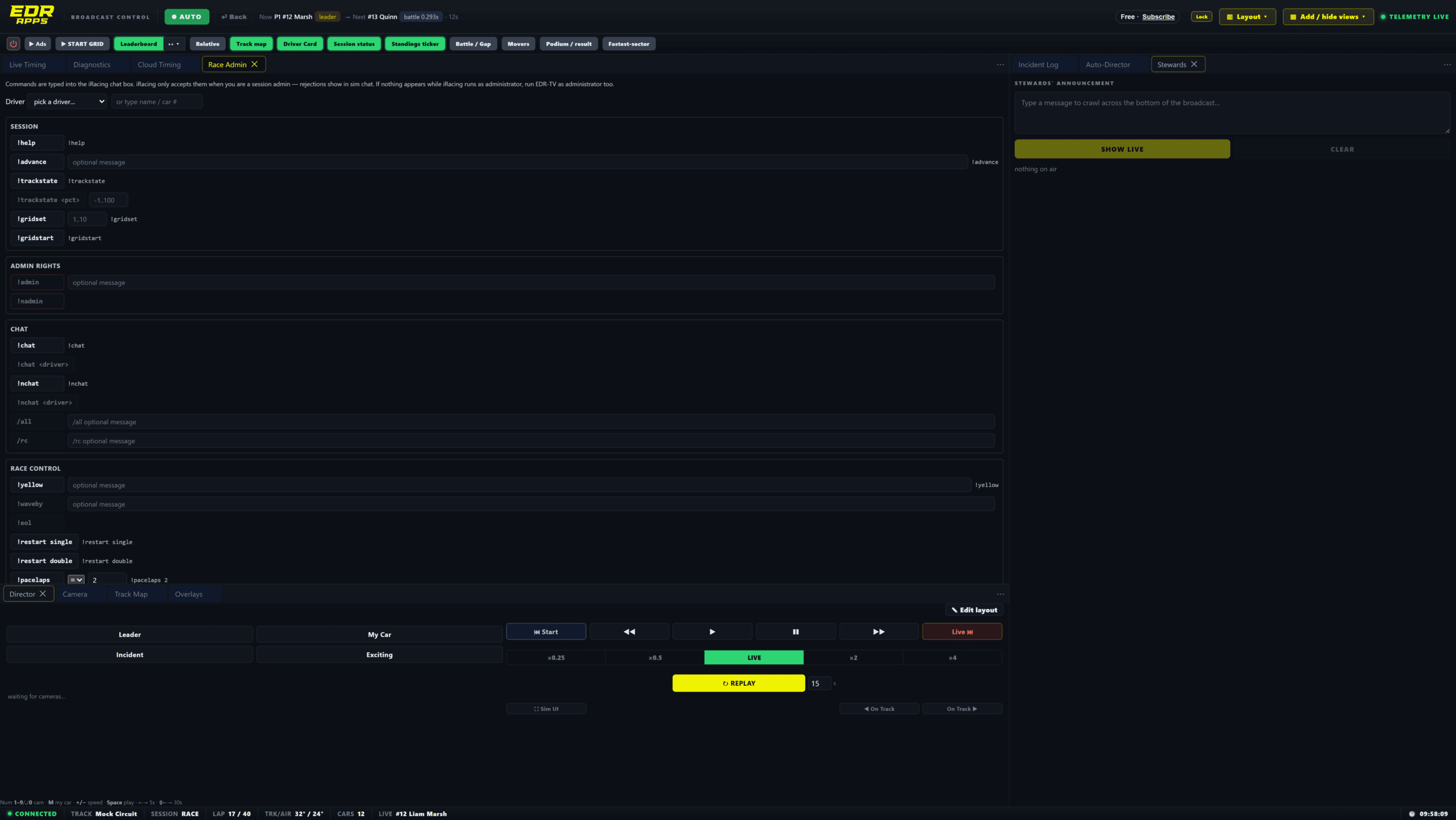
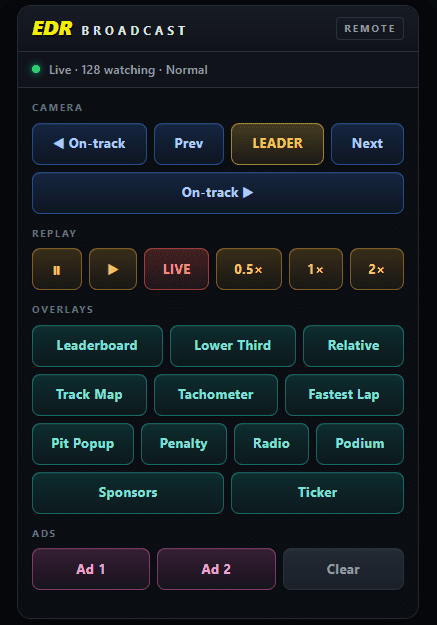
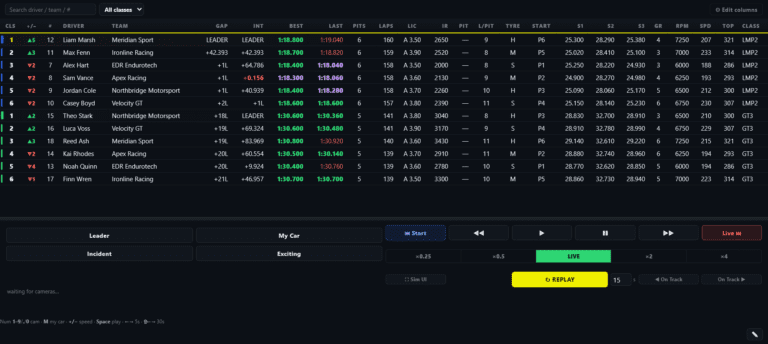
The operator panel brings timing, cameras, incidents and replay controls into one production view.
Auto-Director for solo broadcasters and leagues
The EDR Broadcast Auto-Director analyses the race to identify battles and camera candidates. The producer keeps manual control and can lock a target whenever a specific story needs priority.
Incident detection supports the same workflow. A possible crash can be logged for the next safe replay window without immediately abandoning live action. Our iRacing incident detection guide explains how to use those alerts without treating them as stewarding decisions.
Available languages
EDR Broadcast is currently available in four languages. Translations are reviewed as new features are added.
English
Deutsch
Español
Português
Frequently asked questions
Is EDR Broadcast available in English?
Yes. The main application menus, settings and controls are available in English.
Does it work with OBS Studio and vMix?
Yes. Overlays are added as transparent browser sources above the iRacing capture.
Can I download EDR Broadcast for free?
Yes. The Free plan remains available, and the application includes a 14-day Pro trial with no credit card.
Does EDR Broadcast run on macOS or Linux?
The desktop application is currently available for Windows, the supported platform for iRacing.
Do I need a full production crew?
No. EDR Broadcast can be operated by one producer. Higher plans add tools for leagues, remote operators and multi-PC workflows.
Where can I report a translation issue?
Send it through EDR Broadcast support. Language is reviewed alongside new features.
Try EDR Broadcast in English
Download the Windows application, build a practice scene and test the complete workflow before your next race. Start with Free and try Pro for 14 days with no card.
Download EDR Broadcast View plans and pricing